As an Amazon Associate, PianoMode earns from qualifying purchases. Recommendations are made on their merits; the price you pay is the same.
The convergence of classical music theory and modern digital production represents perhaps the most significant paradigm shift in the history of musical practice since the development of standard notation in the medieval era. For centuries, the transmission of musical ideas relied explicitly upon the manuscript, a codified system of abstract symbols representing pitch, duration, intensity, and expression.
Today, the Musical Instrument Digital Interface (MIDI) serves as the contemporary manuscript, a universal binary protocol that translates the nuance of human performance into malleable digital data. This transition does not render the accumulated wisdom of traditional theory obsolete; rather, it amplifies the utility of harmonic and rhythmic knowledge, allowing the classically trained musician to manipulate sound with a precision previously impossible in the acoustic realm.
This report explores the synthesis of traditional music theory, scales, intervals, harmony, and form, with the technological infrastructure of the Digital Audio Workstation (DAW) and the MIDI controller. By examining the structural parallels between the Guidonian staff and the MIDI piano roll, the function of velocity as a digital surrogate for dynamic intensity, and the application of harmonic analysis to modern sequencing tools, a comprehensive framework emerges. This framework empowers the musician to navigate the digital landscape not merely as a technician or audio engineer, but as a composer grounded in centuries of acoustic tradition. The analysis delves deeply into hardware selection for the pianist, the software ecosystem of virtual instruments, and the specific production techniques that allow digital orchestrations to breathe with organic life.
To understand the modern production environment, one must first appreciate the continuity of musical abstraction. As detailed in historical surveys of notation within the provided research, early systems like neumes provided only approximate contours of melody, eventually evolving into the precise grid of the Guidonian staff which allowed for the exact location of pitch. This evolution mirrors the development of MIDI.
Where the staff utilizes vertical positioning to denote pitch class and horizontal placement to denote time, the MIDI protocol utilizes a digital grid. However, unlike the static nature of ink on paper, MIDI data is dynamic and interactive. A “Note On” message carries not just the pitch (Note Number) and the start time, but also the velocity, a value ranging from 0 to 127 that dictates intensity, timbre, and attack characteristics.
The classical theorist often views the MIDI piano roll as simply a rotated staff. The vertical axis represents the chromatic scale, encompassing the entire range of the grand staff and beyond into sub-bass and ultra-sonic registers. The horizontal axis represents time, divisible not just into measures and beats, but into ticks, micro-divisions (often 960 pulses per quarter note) that allow for the capture of rubato and expressive timing deviations that traditional notation can only approximate with terms like accelerando or ritardando. The precision of MIDI allows the analyst to see the “micro-rhythm” of a performance, revealing that what is notated as a straight string of eighth notes in a Mozart sonata is, in reality, a complex landscape of minute timing variations that define the “human” element of performance.
What you will learn in this guide:
- How to use MIDI Packs as interactive sheet music to reverse-engineer complex Jazz voicings.
- How to layer Synth Presets with your acoustic piano to create modern “Hybrid Textures.”
- How to utilize Drum Loops to improve your internal clock and rhythmic feel better than a metronome.
- My curated list of essential tools to transform you from a pianist into a producer.
Summary of Recommended Products & MIDI Packs:
- Neo Soul Keys (Frontline Producer) – Best for: Advanced Harmony.
- Soulful Funk & Jazz Keys (Frontline Producer) – Best for: Genre Fusion.
- Soulful Keys (Soulsounds) – Best for: R&B and Gospel.
- Funk Clav (Frontline Producer) – Best for: Rhythmic Precision.
- Dramatic Pianos Vol. 3 (Loopmasters) – Best for: Cinematic/Ambient textures.
- Future Jazz Piano Sessions (Samplestar) – Best for: Modern “Lofi” and “Future Jazz” vibes.
Studiologic SL88 MIDI Keyboard Controller on Amazon !𝄞As an Amazon Associate I earn from qualifying purchases.
Arturia KeyLab Essential mk3 — 61 Key on Amazon !𝄞As an Amazon Associate I earn from qualifying purchases.
Roland One in Two Out Midi Cable on Amazon !𝄞As an Amazon Associate I earn from qualifying purchases.
Music Theory for Dummies on Amazon !𝄞As an Amazon Associate I earn from qualifying purchases.
Discover RC-20 Retro Color Plugin !𝄞As an Amazon Associate I earn from qualifying purchases.
Can pianists use sample packs to improve their technique? Yes. Unlike static audio loops, MIDI files allow pianists to see the exact notes, voicings, and rhythmic placement of professional performances on a piano roll. By analyzing these files, musicians can “reverse-engineer” professional chord progressions, understand complex extensions (9ths, 11ths, 13ths), and apply these concepts to their own playing. It is the modern equivalent of studying a master’s score.
1. Theoretical Foundations
The Ontology of Pitch: Frequency, Class, and Number
In the realm of acoustic theory, pitch is defined by frequency, the speed of physical vibration. Classical pedagogy organizes these frequencies into pitch classes (A through G) and registers (octaves), a system codified to manage the acoustic properties of instruments and the human voice. The digital domain abstracts this further into MIDI Note Numbers. This abstraction is not arbitrary; it is a mathematical translation of the chromatic scale. Middle C, designated as C4 in Scientific Pitch Notation (and often C3 or C4 in various DAWs), corresponds to MIDI note number 60.
Understanding this numerical relationship is crucial for the modern producer. Because the MIDI protocol is based on integers, transposition, a task that requires significant mental calculation on the staff, becomes a simple arithmetic operation. Raising a melody by a perfect fifth is merely adding 7 to the note number; lowering by a minor third is subtracting 3. This mathematical consistency underscores the concept of the “interval” as a fixed distance, a core tenet of interval theory. Whether the interval is a major second (2 semitones) or a major ninth (14 semitones), the digital distance remains constant, allowing for the creation of MIDI effects and arpeggiators that can manipulate harmonic structures with algorithmic precision.
Furthermore, the concept of “Pitch Class,” which generalizes tones that sound identical but exist in different octaves, is fundamental to understanding MIDI mapping. A MIDI controller does not inherently know it is playing a “C#”; it only knows it is triggering note number 61, 73, or 85. This distinction becomes vital when dealing with enharmonic equivalence. In classical theory, C# and Db are functionally different based on the key signature. In standard MIDI, they are identical data points. While this simplifies input, it requires the composer to remain vigilant about harmonic function, as the DAW may display a Db major chord as C#-F-G#, obscuring the theoretical relationship of the intervals unless the user actively manages the “spelling” of the notes within the software’s score editor.
Rhythmic Architecture: The Grid vs. The Pulse
Rhythm, the organization of sound in time, serves as the backbone of both classical performance and modern sequencing. Traditional theory defines rhythm through durational values, whole notes, quarter notes, and their subdivisions, operating within a meter that establishes strong and weak beats. The concept of the “measure” bounded by bar lines creates a container for these rhythmic events. In the digital realm, this container is the “Grid.”
The Grid in a DAW (Digital Audio Workstation) such as Ableton Live or Logic Pro X is the digital manifestation of meter. When a musician sets a project to 4/4 time at 120 BPM, the DAW establishes a rigid temporal lattice. The conflict often arises when the fluidity of classical performance meets this rigidity. A trained pianist playing a Chopin Nocturne does not adhere strictly to the metronomic grid; the pulse breathes. This phenomenon, known as rubato, is often lost when MIDI data is “quantized”, a process that snaps notes to the nearest grid line.
However, understanding the theoretical underpinnings of rhythm allows the producer to manipulate the grid rather than be enslaved by it. Compound meters like 6/8 or 12/8, which divide the beat into three distinct parts, require specific grid settings to accommodate the “triplet feel” inherent to the meter. A producer unaware of the difference between simple and compound time might struggle to program a convincing shuffle rhythm, forcing a ternary feel into a binary grid. Conversely, the theorist recognizes that a 12/8 meter is essentially a 4/4 meter with a triplet subdivision, allowing for the seamless integration of polyrhythms and complex tuplet figures.
The following table illustrates the translation of classical rhythmic concepts into the language of the Digital Audio Workstation:
| Classical Concept | Digital/MIDI Equivalent | Functional Description |
| Tempo (e.g., Allegro) | BPM (Beats Per Minute) | The speed of the master clock. Automation allows for accelerando/ritardando. |
| Meter (Time Signature) | Grid Resolution | Defines the denominator of the grid (1/4, 1/8, 1/16). Crucial for quantization. |
| Rubato | Humanization / Groove | Deviations from the grid (Track Delay or Groove Pool) to simulate human feel. |
| Dynamics (p to ff) | Velocity (0-127) | The intensity of the note strike, mapped to volume and filter cutoff. |
| Articulation (Staccato) | Note Length / Gate | The duration between Note On and Note Off messages. |
| Phrasing | Expression (CC11) | Continuous controller data shaping the volume swell of sustained notes. |
Harmonic Structures: From Triads to Algorithms
Harmony, the simultaneous sounding of pitches, forms the vertical dimension of music. The construction of triads, major, minor, diminished, and augmented, relies on specific interval relationships. In the MIDI environment, these relationships are mathematical constants. A major third is always four semitones (or MIDI note numbers) apart; a perfect fifth is always seven.
This absolute consistency allows for the development of “Chord Tools” and “MIDI Effects” that can automatically generate harmonies based on a single input note.
Software such as Scaler 2 and Captain Chords leverages this mathematical consistency to assist in composition. Scaler 2, for instance, can detect the key and scale of incoming MIDI data, suggesting chord progressions that adhere to functional harmony rules or explore modal interchange. For the intermediate theorist, these tools act as a force multiplier, allowing for the rapid auditioning of complex voicings, such as upper structure triads or shell voicings, that might be technically demanding to play in real-time. The digital realm thus becomes a laboratory for harmonic experimentation, where the rules of voice leading found in Bach chorales can be applied to synthesizer pads or orchestral strings with immediate auditory feedback.
The implication of this technology is profound for the student of theory. Where traditional analysis requires the laborious mental deconstruction of a score, modern tools like Logic Pro X’s chord track can analyze a MIDI performance in real-time, displaying chord symbols (e.g., Cm7, G7b9) above the region. This “Reverse Engineering” of harmony allows the musician to verify their theoretical analysis against the computer’s algorithm, bridging the gap between aural perception and theoretical nomenclature. Furthermore, tools that allow for the extraction of chords from audio files facilitate a new kind of ear training, where the student can isolate and loop specific harmonic changes to understand the voice leading of jazz masters or complex orchestral textures.
2. The Instrument as Interface
Hardware Selection: The Tactile Connection
For the pianist transitioning to digital production, the MIDI controller is the primary interface, the conduit through which musical intention flows into the computer. The selection of this hardware is critical, as it dictates the tactile response and expressive potential of the performance. There is a spectrum of controllers ranging from synth-action keyboards to fully weighted, hammer-action instruments designed to replicate the physics of an acoustic piano.
Weighted vs. Semi-Weighted Action
The classical pianist, accustomed to the resistance and escapement of a grand piano action, will often find synth-action or semi-weighted keys inadequate for expressive playing. The “weight” in a piano key allows for precise control over velocity, the speed at which the key is depressed, which directly correlates to dynamic volume. Controllers like the Kawai VPC1 and the StudioLogic SL88 Grand are revered in this demographic because they utilize actual wooden keys and hammer mechanisms. This physical resistance is essential for executing techniques such as legato passages, trills, and subtle dynamic shading (pianissimo to fortissimo).
As an Amazon Associate I earn from qualifying purchases.
Conversely, semi-weighted controllers like the Novation Impulse or the Arturia KeyLab series offer a compromise, providing enough resistance for piano playing while remaining light enough for rapid synth leads or organ glissandos. These controllers often include additional performance controls, faders, knobs, and pads, that allow the musician to manipulate DAW parameters (like filter cutoffs or reverb sends) in real-time, bridging the gap between performance and sound design.
As an Amazon Associate I earn from qualifying purchases.
The following table breaks down the leading options for pianists based on current market analysis:
| Model | Keys | Action Mechanism | Target Audience | Connectivity Features |
| Kawai VPC1 | 88 | Real Wooden Hammer | Purist Pianists | USB, MIDI DIN, Triple Pedal unit included |
| StudioLogic SL88 Grand | 88 | Graded Hammer (Fatar TP/40 Wood) | Classical/Orchestral Composers | USB, MIDI DIN, Magnetic Pedals, Aftertouch |
| Arturia KeyLab 88 MkII | 88 | Hammer Action (Fatar TP/100LR) | Hybrid Producers (Synth/Piano) | USB, MIDI, CV/Gate for modular synths, Deep DAW Integration |
| M-Audio Keystation 88 MK3 | 88 | Semi-Weighted | Budget / Sketching / Travel | USB, 5-pin MIDI Out, Lightweight design |
Connectivity Standards: USB vs. 5-Pin DIN
The method of connecting these instruments to the computer has evolved from the traditional 5-pin DIN MIDI cable to the ubiquitous USB connection. While USB MIDI is convenient, carrying both data and power over a single cable, it can be susceptible to ground loops and noise if not properly isolated. The 5-pin DIN standard, developed in the early 1980s, remains the gold standard for stability and long cable runs, as it is optically isolated, preventing electrical interference between the instrument and the interface.
For a robust studio setup, many professionals utilize dedicated MIDI interfaces (like the Roland UM-ONE mk2) to handle data transmission, bypassing the potential jitter of direct USB connections. However, for the mobile musician or the home studio hobbyist, USB connectivity offers a plug-and-play simplicity that is hard to ignore, provided one uses high-quality cables and avoids overloading USB hubs. It is worth noting that for older digital pianos that lack USB, a MIDI-to-USB interface is required to bridge the gap to modern computers, transforming a vintage instrument into a viable controller.
As an Amazon Associate I earn from qualifying purchases.
The Pedagogy of Pedals: Sustain and Expression
The sustain pedal is the soul of the piano, allowing notes to resonate and blend into harmonic textures. In MIDI terms, the sustain pedal operates on Control Change (CC) message #64. A standard switch pedal sends only two values: 0 (off) and 127 (on). However, acoustic piano technique often involves “half-pedaling,” where the dampers are only partially lifted from the strings to create a specific resonance.
Advanced MIDI controllers and continuous sustain pedals support this technique by sending a continuous stream of values between 0 and 127, allowing virtual piano instruments to replicate the complex resonance of a partially damped string. This nuance is crucial for performing impressionist works (like Debussy or Ravel) where the blurring of harmonies is a stylistic necessity. Furthermore, the use of expression pedals (CC11) allows the musician to control parameters like volume or vibrato intensity with their foot, freeing the hands to focus on note execution, a technique vital for realistic orchestral sequencing where dynamic swells must occur independently of note attacks.
Latency: The Temporal Barrier
The immediate disconnect a pianist feels when playing a digital instrument is often due to latency, the delay between pressing a key and hearing the sound. This delay is caused by the time it takes the computer to process the MIDI input, generate the audio, and send it to the speakers. Minimizing this latency is essential for preserving the rhythmic integrity of a performance; delays greater than 10-15ms can cause a “sluggish” feel that disrupts the performer’s timing and phrasing.
This is achieved by adjusting the audio buffer size within the DAW’s preferences. A smaller buffer (e.g., 64 or 128 samples) reduces latency but places a higher load on the CPU, potentially causing audio dropouts or clicks if the computer cannot keep up with the processing demands. A larger buffer (e.g., 512 or 1024 samples) increases stability for mixing but makes real-time playing feel disconnected. The “sweet spot” for pianists is typically around 128 samples, which results in a latency of roughly 5-10 milliseconds, comparable to the physical time it takes sound to travel from the strings of a grand piano to the player’s ears.
3. The Digital Ecosystem
The Digital Audio Workstation (DAW) as Composer’s Studio
The DAW is the canvas upon which modern music is painted. For the classical musician, the choice of DAW often depends on the workflow preference: linear vs. non-linear. Logic Pro X and Cubase are traditional linear DAWs, mimicking the timeline of a tape recorder or a musical score. They excel at recording long takes, editing MIDI with score-like precision, and managing large orchestral templates. Logic Pro, in particular, offers a robust Score Editor that automatically transcribes MIDI performance into standard notation, bridging the visual language of the theorist with the data language of the computer.
Ableton Live, by contrast, creates a non-linear environment focused on loops and clips. While initially disorienting to the score-reader, this “Session View” encourages improvisation and modular composition, aligning well with the variation forms found in classical music (like the Chaconne or Passacaglia) where a repeating harmonic progression supports evolving melodic material. The ability to launch clips of MIDI patterns allows the composer to experiment with structure and form in real-time, treating musical sections as modular building blocks.
Regardless of the DAW chosen, the configuration of MIDI ports is a fundamental step. The user must differentiate between “Track” input (for playing instruments) and “Remote” input (for controlling knobs and faders) to ensure the hardware communicates correctly with the software. Troubleshooting connectivity often involves checking the “Audio MIDI Setup” in macOS or Device Manager in Windows to verify that the operating system recognizes the device before the DAW even opens.
Virtual Instruments: The Ghost in the Machine
The quality of the sound source is paramount to the inspiration of the player. Virtual instruments (VSTs) fall into two main categories: modeled and sampled.
Sampled Instruments: Libraries like Native Instruments’ Noire or Spectrasonics’ Keyscape rely on thousands of high-fidelity recordings of real instruments. When a key is pressed, the software triggers the playback of a specific recording corresponding to that pitch and velocity layer. These libraries offer immense realism, capturing the specific character of a Yamaha CFX or a vintage Rhodes, but they require significant hard drive space and system resources (RAM) to manage the gigabytes of sample data. The Noire library, for example, is favored for its “Felt” piano sound, a dampened, intimate timbre that has become a staple of modern cinematic and neo-classical composition.
Modeled Instruments: Instruments such as Modartt’s Pianoteq use mathematical algorithms to generate sound in real-time based on the physical properties of the instrument (string length, hammer hardness, soundboard resonance). While historically critiqued for lacking the absolute photorealism of the best sample libraries, physical modeling offers unparalleled playability and responsiveness. A modeled piano reacts instantaneously to velocity changes and continuous pedal data without the “layer switching” artifacts sometimes audible in sample libraries. For the classical pianist focusing on touch and dynamic gradation, modeled instruments often provide a more organic connection between finger and sound because the sound is generated in response to the touch, rather than just triggered by it.
Expansion via MIDI Packs and Loops
For the modern musician, MIDI packs serve as digital etudes. In the same way a 19th-century pianist would study a Czerny exercise to master technique, a 21st-century producer uses MIDI to master genre.
Unlike audio loops, which are “baked-in” and static, MIDI files are transparent. They allow you to pull back the curtain on professional performances. When you import a MIDI file from a world-class session player into your DAW, you aren’t just getting a sound; you are getting a dynamic map of their brain.
1. The Neo-Soul & Jazz Masterclass
To master the “lush” sound of Neo-Soul, you must move beyond the basic triads found in introductory theory books. You need to see how a pro voices a Minor 11th or a Dominant 13th with a flattened 9th.
- Top Recommendation: Neo Soul Keys (Frontline Producer)
- Why it’s pedagogical: This pack features 300 MIDI files performed by Mike Taylor. Because the recordings were tracked into Sibelius first, the MIDI is incredibly precise.
- The Lesson: Open these files to study “Voice Leading.” Notice how the notes in the middle of the chord move as little as possible between changes—this is the secret to that smooth, “liquid” soul sound.
- Alternative: Soulful Keys (Spiritual Sounds)
- The Lesson: This is perfect for studying Gospel-influenced harmony. Analyze the MIDI to see how “passing chords” are used to create tension before resolving to the tonic.
2. Funk, Groove & Rhythmic Displacement
Funk piano (or Clavinet) is less about complex notes and more about interstitial rhythm. As Music Theory for Dummies points out, syncopation is the heartbeat of funk.
As an Amazon Associate I earn from qualifying purchases.
- Top Recommendation: Soulful Funk & Jazz Keys (Frontline Producer)
- Why it’s pedagogical: It covers the spectrum from Herbie Hancock-style fusion to D’Angelo-style “laid back” grooves.
- The Lesson: Use the MIDI to look at the “Velocity.” Notice that not every note is played at the same volume. The “accent” notes are higher in velocity, which is what creates the “stank” or “groove” in a funk riff.
- Targeted Tool: Funk Clav (Frontline Producer)
- The Lesson: Study the “Short Gate Times.” In the MIDI editor, you’ll see the notes are very short (staccato). This teaches you that in funk, the silence between the notes is as important as the notes themselves.
3. Cinematic Storytelling & Atmosphere
Classical players often struggle with the “Minimalism” required for film scoring. You don’t always need a million notes; you need the right notes.
The Lesson: Analyze the “Sustain.” In the MIDI roll, look at the sustain pedal data (CC64). This teaches you how to use the pedal to create those “hypnotic” washes of sound common in modern trailers and underscores.
Top Recommendation: Dramatic Pianos Vol. 3 (Loopmasters)
Why it’s pedagogical: It focuses on mood rather than complexity.
PianoMode Pro Tip: If you’re struggling to understand how to bridge the gap between a C Major chord and a ‘jazzy’ C Major 9, download the Soulful Funk & Jazz Keys MIDI pack. Don’t just listen to the audio: drag the MIDI into your DAW and look at the note spacing. You’ll see exactly which ‘tension’ notes the pro added to get that sound.
4. Translating Technique to Data
Quantization and Humanization
The grid is a tool, not a rule. “Quantization” aligns MIDI notes to the nearest grid division, correcting timing errors. While useful for cleaning up sloppy playing, 100% quantization strips the music of its humanity, resulting in the robotic “machine gun” effect. The classical musician understands that rhythm is fluid; a Viennese waltz anticipates the second beat, while a funk groove might lay back on the snare.
To retain this feel in the digital realm, producers use “iterative quantization” (applying quantization at 50-60% strength), which tightens the performance without sterilizing it. Furthermore, “humanization” algorithms can introduce subtle, random deviations to note start times and velocities, mimicking the natural imperfections of a human player. For drums and percussion, manually shifting snare hits slightly ahead or behind the grid can radically alter the “pocket” or groove of the track, a technique directly analogous to the “push and pull” of an orchestral section following a conductor.
Velocity Curves and Dynamic Expression
Just as a pianist voices a chord by applying different weight to the melody and accompaniment, MIDI velocity determines the prominence of notes within a texture. However, the physical response of a MIDI controller may not match the player’s expectation. A “velocity curve” setting on the controller or in the DAW maps the physical force of the keystroke to the MIDI output value.
- Hard Curve: Requires significant force to reach high velocities (100-127). This offers greater control for soft, delicate passages (pianissimo), preventing accidental loud notes.
- Soft Curve: Makes it easier to trigger loud notes with lighter touch. Useful for aggressive playing styles or for players with lighter hands.
- Linear Curve: A 1:1 mapping of force to output.
Adjusting this curve to match the player’s touch is crucial for achieving a realistic dynamic range. In post-production, MIDI velocity effects can compress or expand the dynamic range of a recorded performance, allowing a producer to “even out” a performance that varies too wildly or add punch to a flat one without altering the audio volume fader. This is the digital equivalent of a conductor asking the brass section to broaden their dynamic contrast.
Advanced Voicing Techniques
Jazz theory offers a wealth of voicing techniques that translate powerfully to the MIDI piano roll, allowing the producer to create rich textures without muddying the mix.
Shell Voicings: These chords consist of only the Root, 3rd, and 7th. By omitting the 5th (which adds little harmonic color) and extensions, shell voicings create a harmonic foundation that is open and uncluttered. In a DAW, this is particularly effective when layering instruments; a piano can play the shell voicing while a guitar or synth plays the extensions (9th, 11th, 13th), preventing frequency clashes in the lower midrange.
Upper Structure Triads: This advanced technique involves playing a distinct triad in the right hand over a tritone-based shell in the left. For example, playing a D Major triad over a C7 shell (C and Bb) creates a C13(#11) sound. Visualizing these structures on the MIDI grid, seeing the simple triad superimposed over the complex base, demystifies the harmony. It allows the composer to construct complex jazz harmonies by stacking simple shapes, a method that is visually intuitive on the piano roll even if it is technically demanding to play.
5. Production Techniques for the Theorist
Layering and Texture
Orchestration is the art of assigning musical ideas to instruments to create texture and color. In the DAW, this is achieved through layering. A common production technique involves layering an acoustic piano with a synthetic pad or string section to add sustain and “halo” to the sound.
The theoretical implication here is one of timbre. The sharp attack and rapid decay of the piano (percussive) is complemented by the slow attack and infinite sustain of the synth pad (sustained). This combination covers the full ADSR (Attack, Decay, Sustain, Release) envelope, creating a “hyper-instrument” that is larger than life. When layering, it is vital to check for phase coherence and frequency masking; using EQ to carve out space for each layer ensures that the piano’s attack punches through the warm wash of the pad. For instance, applying a high-pass filter to the pad prevents it from clashing with the piano’s bass notes, ensuring clarity in the low end.
The Concept of Layering
If you read through Freezell’s Theory Book, you understand “Timbre.” Modern sound design is about stacking Timbres. A common technique in Cinematic and Ambient music is to layer an Acoustic Piano with a Pad or Texture.
- Layer 1 (The Body): Your main Piano VST (Attack, Definition).
- Layer 2 (The Soul): A slow-attack Pad or String sample (Sustain, Atmosphere).
- Layer 3 (The Dust): Vinyl crackle, rain, or mechanical noise (Texture).
Using “Atmosphere” Packs
You don’t need to synthesize these sounds from scratch. Loopmasters offers “Texture” and “Foley” packs that are perfect for this.
Step-by-Step Layering Guide:
- Record your piano part.
- Create a second track.
- Load a “Cinematic Texture“ sample from Loopmasters (e.g., from an Ambient Soundscapes pack).
- Sidechain the Texture to the Piano.
- Result: Every time you hit a chord, the texture ducks down and then swells up in the sustain. This creates a “breathing” effect that solo piano cannot achieve.
Recommended Tool: “Desire Cinematic Ambience“
- Why I recommend it: It focuses on the emotional side of keys.
- Educational Value: teaches you about ADSR (Attack, Decay, Sustain, Release) envelopes by hearing how samples evolve over time.
Sidechaining: The Digital Breathing
Sidechain compression is a production technique where the volume of one track is automatically reduced (ducked) by the signal of another. While often associated with the pumping bass of electronic dance music, its application for the classical theorist is subtler. It acts as a dynamic mixing tool, clearing space for the most important element at any given moment.
For example, sidechaining a reverb return to the dry vocal or piano track allows the reverb to swell only in the spaces between the notes, preventing the wash of ambience from muddying the articulation of the melody. This mimics the acoustic effect of a choir singing in a cathedral, where the reverberation blooms as the direct sound decays. It is a way of automating clarity and counterpoint, ensuring that the primary voice (the subject) is never obscured by the accompaniment (the countersubject).
Lo-Fi Aesthetics and Nostalgia
The “Lo-Fi” aesthetic, characterized by limited frequency bandwidth, pitch instability (wow and flutter), and noise (vinyl crackle), is a digital simulation of analog decay. For the theorist, this represents a manipulation of timbre and pitch stability. Tools like RC-20 Retro Color or simple bitcrushers reduce the sample rate and bit depth of the audio, introducing aliasing and harmonic distortion.
As an Amazon Associate I earn from qualifying purchases.
Musically, this degradation evokes nostalgia. A piano recording processed to sound like it is coming from an old cassette tape carries emotional weight distinct from a pristine digital recording. This textural manipulation becomes a compositional element itself, where the “quality” of the sound contributes to the narrative of the piece as much as the melody or harmony. It reframes the “imperfection” not as an error, but as a timbral characteristic, much like the breathy quality of a wooden flute or the scrape of a bow on a cello string.
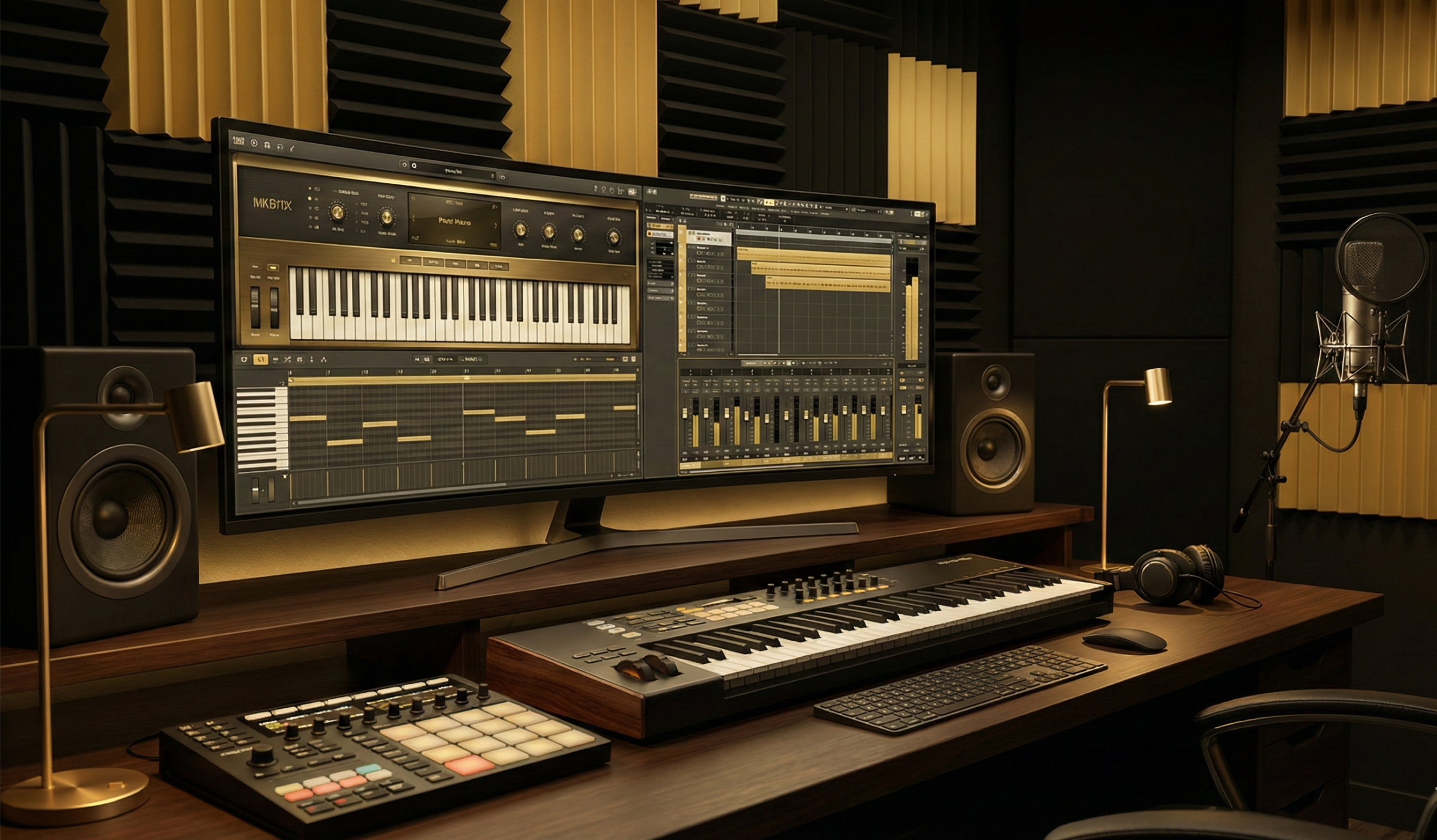
Try Our Mini Studio. Record, mix & create — right from your browser.
Piano, drum machine, microphone & multi-track recording. Everything you need to produce music, no download required.
Conclusion
The bridge between classical theory and modern production is built on the understanding that MIDI is not a replacement for musicianship, but an extension of it. The grid is a meter; velocity is dynamics; a synthesizer patch is a timbre. By mapping these digital concepts to their acoustic ancestors, the musician unlocks a new mode of expression. The pianist who understands the physics of a hammer strike can better program a velocity curve. The theorist who understands the function of a leading tone can better utilize algorithmic composition tools like Scaler 2.
The future of this synthesis lies in the continued erasure of the boundary between the player and the computer. As modeled instruments become indistinguishable from reality and controllers become more sensitive to the microscopic nuances of touch, the digital workstation becomes a true instrument, one that requires the same discipline, theory, and soul as the violin or the piano. The musician of the 21st century is a hybrid artist, fluent in the languages of both the staff and the sequencer, capable of orchestrating the infinite possibilities of the digital realm with the timeless wisdom of the acoustic tradition.
Explore the Piano & Keys Collection on Loopmasters
As an Amazon Associate I earn from qualifying purchases.
Browse the Best Selling MIDI Packs for Digital Piano
Recommended Tool: “Live Downtempo Drums“
Drag a drum loop into your DAW. Play a simple C Major chord progression. Notice how playing it “straight” feels wrong? Now try playing with a slight swing. The drums force you to adapt.
As an Amazon Associate I earn from qualifying purchases.
Summary of Recommended Products:
- Neo Soul Keys (Frontline Producer) – Best for: Advanced Harmony.
- Soulful Funk & Jazz Keys (Frontline Producer) – Best for: Genre Fusion.
- Soulful Keys (Soulsounds) – Best for: R&B and Gospel.
- Funk Clav (Frontline Producer) – Best for: Rhythmic Precision.
- Dramatic Pianos Vol. 3 (Loopmasters) – Best for: Cinematic/Ambient textures.
- Future Jazz Piano Sessions (Samplestar) – Best for: Modern “Lofi” and “Future Jazz” vibes.
Here is my challenge to you:
- Don’t just practice your scales today.
- Go to Loopmasters.
- Download a MIDI Pack in a genre you are uncomfortable with (if you play Classical, try House; if you play Jazz, try Techno).
- Open the files. Study the notes.
- Play along.
Do I need to know music theory to use Loopmasters packs?
Strictly speaking, no. But knowing theory (like Key Signatures and Scales) allows you to use them faster. If you know a sample is in A Minor, you immediately know which notes you can improvise over it. Theory is your roadmap; samples are your vehicle.
Can I use these samples in my commercial releases?
Yes. Loopmasters products are Royalty-Free. This means you can use a vocal chop, a drum loop, or a piano melody in your song, upload it to Spotify, and keep 100% of the revenue. You never owe them another cent.
What is the difference between a MIDI pack and a Sample pack?
- Sample Pack (Audio): A recording of a sound. You cannot change the notes inside the chord, only the pitch of the whole file.
- MIDI Pack (Data): The digital instructions (Note C3, Velocity 80, Duration 1 bar). You can change everything, the notes, the timing, and even the instrument playing it. For pianists, MIDI is far superior.
Which DAW should I use?
For pianists, I recommend Logic Pro or Ableton Live. Both handle MIDI editing beautifully and integrate seamlessly with Loopmasters’ cloud managers.