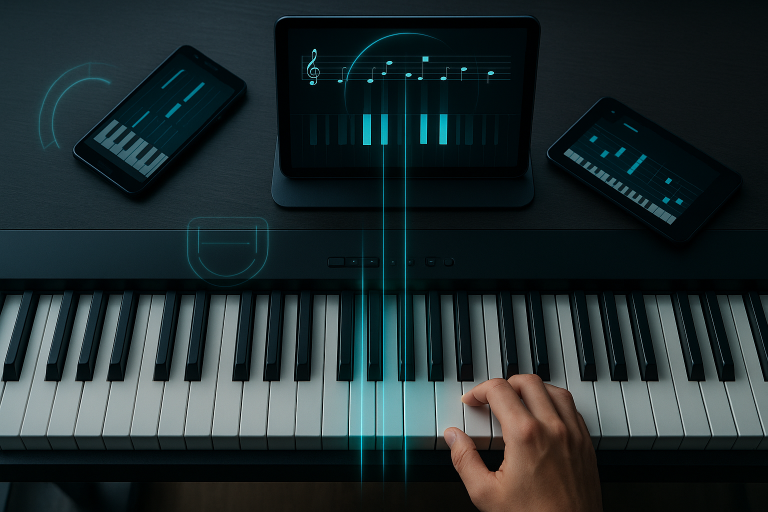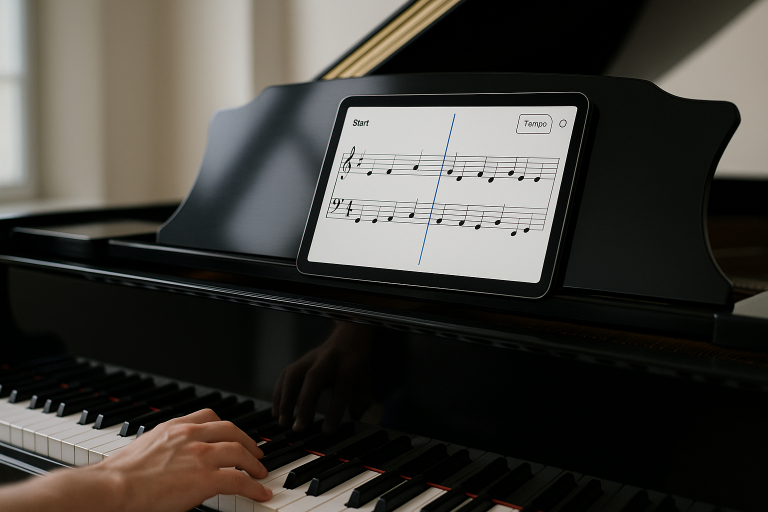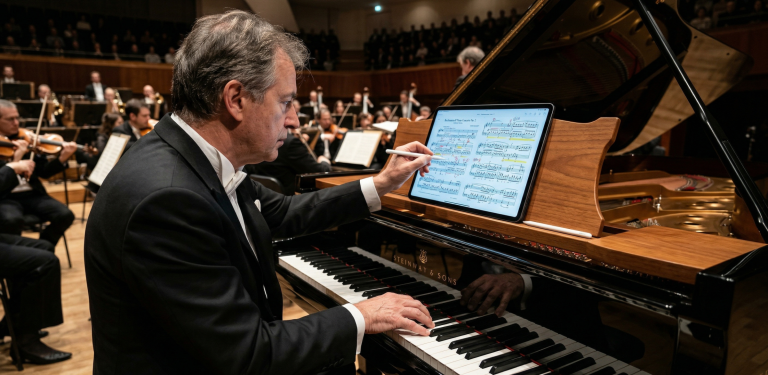
In recent years, a new generation of piano practice apps has emerged, using artificial intelligence (AI) to act like virtual teachers or practice buddies. These apps – including Yousician, Flowkey, Simply Piano, Skoove, Tonara (now Vivid Practice), Piano Marvel, PlayScore 2, and others – can listen to you play, detect the notes and timing, and give immediate feedback. For example, Yousician proudly advertises that its “award-winning technology listens to you play and gives instant feedback on your accuracy and timing”. Flowkey similarly promises you can “practice notes and chords interactively and receive instant feedback” by connecting your piano or keyboard. These apps often include gamified lessons, visual guides, and progress tracking to motivate learners of all levels.
What is an AI Piano Practice Assistant?
An AI-powered practice assistant is a software application designed to provide real-time feedback on a musical performance by using audio recognition or MIDI data to evaluate pitch and rhythm. These virtual coaches, ranging from Yousician and Flowkey to Simply Piano and Piano Marvel, act as interactive bridges between the student and the instrument, offering instant corrections and gamified progress tracking. By transcribing incoming sound into digital notation, these apps ensure that the fundamental building blocks of music, such as durational values and chromatic accuracy, are mastered with mathematical precision.
1. Technical Foundations: How AI Listens to Your Piano
The “intelligence” in these applications stems from advanced audio processing and machine learning models. Most modern piano apps utilize your device’s microphone to detect sound frequencies, which are then compared against the expected pitch and timing of a digital score.
Audio Recognition and Polyphony
The core challenge for any AI assistant is polyphony, the ability to recognize multiple notes played simultaneously. While single-line melodies are easily transcribed, complex chords require sophisticated algorithms. For instance, high-end platforms like Piano Marvel report nearly 99% accuracy with two-note polyphony under ideal conditions, though this often drops to 90% when three or more notes are played. This limitation is significant in classical music, where dense harmonic textures are common.
Most modern piano apps use AI-driven audio processing to evaluate your playing. They detect which keys you play and when, then compare that to the expected notes and rhythm. For example, Piano Marvel (a popular platform in schools and studios) uses machine learning to listen through a microphone or MIDI input and instantly check your performance. A blog describing Piano Marvel notes that it “analyzes your playing in real time – focusing on technique, timing, and note accuracy – when connected to a MIDI-enabled keyboard. With its Assessment Mode, you get instant feedback to help you refine your performance”. Similarly, Simply Piano by JoyTunes listens through the device’s microphone to hear your piano or keyboard, “providing instant feedback on your timing and accuracy”. Flowkey’s “Wait Mode” also “listens to your playing and waits for you to hit the right notes”, so it can guide you through songs at your own pace. In short, the core AI functionality in these apps is to offer real-time pitch and rhythm evaluation, essentially telling you “yes or no” as you play.
MIDI vs. Microphone Input
For the highest level of accuracy, many experts recommend using a MIDI (Musical Instrument Digital Interface) connection. Unlike a microphone, which must interpret acoustic sound waves and filter out background noise, MIDI transmits data directly from the keyboard’s sensors, telling the app exactly which key was pressed and for how long. This eliminates the “pitch detection” lag often found in microphone-only setups.
The underlying technology typically involves audio recognition algorithms – often powered by deep learning – that transcribe incoming sound into musical notes and timing. For example, Piano Marvel’s new microphone feature claims to be “99% accurate with two-note polyphony and 90% accurate with three-note polyphony under ideal conditions,” and the developers say they will improve it to handle four-note chords as well. This illustrates both the strength and limitation of current AI: it can very reliably recognize single notes and simple chords, but more complex chordal textures are still challenging. Many apps use either the device’s microphone or a MIDI connection to get clean input. Voice coach Skoove, for instance, “uses AI to listen to your playing” and gives “personal, real-time feedback” as you work through bite-sized piano lessons. Yousician also includes a “Smart Recognition System” that “listens through your device’s microphone or MIDI connection, analyzing every note and rhythm to provide detailed insights into your performance”.
2. Popular AI Apps: A Comparative Analysis
Each application in the current market targets a specific niche, from casual hobbyists to serious conservatory-bound students.
Yousician: The Gamified Giant
One of the best-known apps, Yousician offers tutorials for piano (and other instruments) with colorful on-screen keyboards and scoring. It uses your device’s mic to check each note’s pitch and timing. As the Google Play store puts it, Yousician’s piano app listens and “gives instant feedback on your accuracy and timing”. Lessons are structured as games or songs, and it even shows which fingers to use. The technology is great at catching wrong keys or missed notes – it’s basically a fast note detector. Yousician helps you track accuracy percentage on each measure and grades your timing (late or early) in real time. However, it largely ignores dynamics (how loud or soft you play) and expression. Yousician’s strength is motivation and reinforcement: it rewards correct playing with points, streaks, and mini-games, which keeps students engaged. Advanced players sometimes complain that while Yousician nails note recognition, it can penalize small timing wiggles or accents that a human teacher might overlook.
Strengths: Excellent for motivation; provides an accuracy percentage and grades timing (early vs. late) in real-time.
Weaknesses: Largely ignores dynamics (the loudness/softness of notes) and artistic expression.
Flowkey and Skoove: The Interactive Sheet Music
Flowkey combines videos and sheet music, and it also listens to your playing via mic or MIDI. Its “Wait Mode” simply pauses the lesson until you hit the right notes, ensuring you practice at a comfortable speed. Flowkey’s interface shows sheet music and fingering, and it gives basic feedback like Yousician does. Skoove is a similar app that emphasizes step-by-step lessons with popular songs. Skoove’s store description highlights that it “uses AI to listen to your playing” and provides personal feedback as you follow the lesson. In practice, both of these apps will light up notes green if you play correctly and red if not, scoring your accuracy. They work very well for beginners learning tunes, since they can instantly tell you if you pressed the right keys in time. But their feedback is limited: they tell what is wrong (missed or wrong notes, wrong rhythm) but not why. They won’t teach proper hand posture or artistic shaping.
Wait Mode: This is Flowkey’s “killer feature.” The app listens to your playing and pauses the background music until you hit the correct note. It removes the stress of “keeping up,” allowing the student to focus on finger placement.
Pedagogical Note: By reinforcing the relationship between a half step and a whole step visually on the staff, these apps help beginners internalize the chromatic scale.
Simply Piano: The Beginner’s Gateway
Made by JoyTunes, Simply Piano is a smartphone app for beginners that listens with the built-in mic. It guides students through a linear curriculum of pop songs and exercises. As one review notes, Simply Piano provides “straightforward” lessons but has “poor note recognition” and “limited feedback”, it mainly responds to correct versus incorrect notes and shows “ding” sounds for mistakes (some users find that frustrating). In essence, Simply Piano is easy to use (just play on your own piano while watching your phone), but it doesn’t tell you much beyond hitting the correct notes at the right time. It rarely comments on technique or expression. Its strength is simplicity for novices; its weakness is that advanced nuances are completely missing.
Linear Curriculum: The app guides you through “missions” that introduce concepts like the staff, accidentals, and basic chords in a step-by-step fashion.
Note Recognition: While user-friendly, it is often criticized by advanced players for being too “forgiving.” It may mark a note as correct even if the rhythm is slightly off, which can lead to sloppy habits if not checked by a teacher.
Piano Marvel: The Educator’s Choice
This app is more classroom-oriented and often used with digital pianos via MIDI. It has a large library of songs and exercises, and it tracks student progress over a curriculum. Piano Marvel boasts features like an interactive “Practice Mode” (which waits for correct notes, similar to Flowkey) and a “Sight-Reading Test” (the SASR). Its feedback system is sophisticated: it highlights notes you hit wrong and calculates a score. Importantly, Piano Marvel has invested heavily in its “Microphone Assessment” feature, allowing users to play on an acoustic piano without a cable. The company reports that its machine-learning audio engine is already “99% accurate with two-note polyphony and 90% accurate with three-note polyphony under ideal conditions,” and they plan to achieve 99% accuracy with four-note chords soon. This shows how far AI has come: even with just a phone, it can now almost perfectly transcribe a simple chord played on a piano. However, note that even 90% accuracy for three notes means occasional errors (dropping a note or mishearing), and anything beyond chords (like arpeggios, pedal noise, or an orchestral accompaniment) would likely still confuse it.
The SASR (Standard Assessment of Sight Reading): This is a unique tool that gives you a “score” for your sight-reading ability, a metric that is notoriously difficult to track without professional help.
Library and Method: It contains thousands of exercises and pieces, ranging from the Alfred Premier Piano Course to professional-level literature.
PlayScore 2: The Digital Scannner
A different kind of tool, PlayScore 2 is a music scanner app rather than a feedback app. You can take a photo of sheet music (or import a PDF) and PlayScore will use optical music recognition (OMR) to read the notes and play them back. In effect, it “sight-reads” printed music for you. While this isn’t an “AI practice coach” in the same sense, it does employ advanced recognition algorithms to help students. For example, a music teacher could snap a picture of an assigned piece and PlayScore will play it, showing how the piece should sound. You can then play along. The app even recognizes dynamics and slurs when scanning, according to its website. In practice, PlayScore 2 turns any sheet into an immediate audio accompanist. It’s especially useful for instruments (like voice or violin) that might want a piano part to play along with. The limitation is that it doesn’t “score” your performance; it merely provides the backing track. It also sometimes misreads poorly printed or handwritten scores, since any OCR-based tool can misinterpret unclear notes.
Utility: For a student struggling to hear the rhythm of a polyrhythmic passage, PlayScore 2 provides a perfect auditory reference. It “reads” the dynamics and slurs, providing a more musical playback than basic MIDI players.
Tonara & Vivid Practice: The Accountability Engine
Tonara was an app targeted at music students and their teachers. Teachers could assign pieces and track student practice. The Tonara student app would listen to the student play and give instant “stars” or points and feedback. Tonara’s website advertises that “Tonara’s music practice app hears your students play and gives personal and real-time feedback”. It even calls its analysis “patented AI technology” that “knows how you are playing and can give you feedback”. In practice, Tonara would highlight correct notes and total time practiced, and teachers could see practice frequency and recordings. However, Tonara announced it was shutting down in late 2023 (replaced by a new service called Vivid Practice). The concept of Tonara/Vivid is still interesting: an app that gamifies practice (points, leaderboards) while using AI to confirm the student really played. Like Yousician, it shines on motivating practice with tech, but the actual feedback on musicality was minimal. The new Vivid Practice app continues this approach for studios.
Practice Tracking: It uses AI to verify that a student actually practiced their assigned pieces. It records the session, tracks the time, and gives the student “stars” for consistency. It is the ultimate tool for teachers to ensure the “missing 6 days” between lessons are productive.
3. AI Feedback vs. Human Feedback
Despite the impressive advancements in deep learning and audio transcription, there is a fundamental “soul gap” in AI piano assistants.
AI-driven apps excel at objective, measurable aspects of playing. They accurately check whether you hit the right note at the right time. As one industry blog notes, many apps track “accuracy and timing” and even adjust difficulty on the fly. They can instantly tabulate how many notes you missed, highlight wrong keys, and replay difficult sections. This immediacy and precision is something a human teacher can’t match: an app will never mishear you or forget to comment on a mistake. In fact, research has found that combining such AI feedback with human teaching can boost student confidence and practice engagement.
However, AI is fundamentally limited when it comes to subjective or nuanced musical guidance. Current technology relies on audio analysis and pattern recognition, not on understanding musical intent. For example, if you play a phrase slightly slower than printed (a rubato), most apps will flag it as “late” or “inaccurate,” even if it sounds expressive. The academic literature points out this exact issue: playing with stylistic timing (rubato) or subtle dynamic shading can be misclassified by AI as errors, which can confuse learners about what’s expected. In other words, if you slow down for feeling, the AI might think you’re simply making mistakes.
More broadly, a human teacher does many things AI cannot. Humans listen for tone quality, phrasing, articulation, hand position, fingering choices, and emotional communication – elements that AI practice apps completely overlook. A teacher might say “warm up that tone, lean on the melody, watch your wrist,” using demonstrations, verbal cues, and body language. An app will never notice if your wrist is too low or if your chords are heavy-handed. It will not comment on whether you used the best fingering or pedaled correctly. For example, an app can tell you two notes of a chord were wrong, but it won’t know if you simply chose an awkward fingering and struggled to reach a note.
In fact, a recent review of AI in piano learning explicitly highlights that “AI interactions are typically fixed and lack the ability to convey subtle emotional nuances”. AI feedback is data-driven: it cares about note correctness and rhythm. But it “focuses on technical accuracy while overlooking the subjective and creative aspects of musical artistry”. A human teacher might praise a student’s expressive flair or coach them through a difficult emotional moment in a piece; AI does not. The rigidity of AI feedback can even hinder creativity, since students aren’t prompted to think independently or experiment expressively.
Physical Technique and Injury Prevention
Another shortcoming is that most apps ignore physical technique. They can’t see your hands or feel your touch. They won’t correct a tense hand, or tell you to adjust your fingering for smoother legato. The only “body” information they get is sound, and even then it’s limited: they might estimate loudness (dynamics) but not subtle changes in color or phrasing. According to music educators, this means AI tools “cannot fully replace human instructors in offering nuanced professional judgment and personalized guidance”. In practice, this means that AI apps are excellent at reinforcing what to play, but not how to play it musically.
The Sightless Coach: An AI app cannot “see” your body. It doesn’t know if your shoulders are hunched or if your fingers are flat. A human teacher provides the critical physical feedback that an app simply cannot.
4. What’s Still Missing in AI Practice Tools
Despite rapid progress, today’s apps leave out some key features that musicians crave.
Expression and Dynamics
Most apps do not assess whether you played passages musically. Few listen to dynamics (loud/soft), phrasing, or articulation in any meaningful way. For instance, if you play a crescendo, many apps won’t comment on it; they only check if notes are correct. The MDPI review noted that while AI can measure rhythm and even tuning, its handling of “expressive issues such as dynamics” is still developing. As a result, subtle aspects of interpretation are largely absent from feedback.
Personalized Fingering and Technique
Apps often show suggested fingerings on screen, but they have no way to enforce or adapt them. If a student uses different fingers and struggles, the app cannot adjust or suggest alternatives. Similarly, technique corrections (relaxing the hand, using wrist rotation) are beyond their scope. The AI doesn’t see anything, so it can’t coach physical technique at all.
Polyphony and Complex Playing
While Piano Marvel reports high accuracy for up to two notes, recognizing more simultaneous notes is still tricky. Many apps are essentially “monophonic” listeners: they do best when you play single lines or simple chords. Complex classical music with many voices, or pieces requiring rapid note-by-note differentiation, can confuse them. This limits the repertoire they can reliably teach. For example, a piano sonata movement with multiple voices might overwhelm the note-detection engine, causing incorrect feedback.
Pedal and Touch Sensitivity
None of the mainstream practice apps listen for pedaling, nor can they feel keyboard touch. They treat every note as one of two states (on/off). Thus, playing with the wrong pedal or a heavy vs. gentle touch will not be noticed. This means students could develop habits like over-pedaling or heavy fingering without any warning from the app.
Style and Genre Diversity
AI tools tend to be trained on the kinds of music they expect in a curriculum. Jazz swing, complex classical rubato, or non-Western scales can throw them off. One study mentioned that AI recommendations are often limited to big databases (usually classical or pop), making it hard to use them for contemporary or niche genres. A piece in 7/8 time or a ragtime syncopation might simply be flagged as “incorrect rhythm” because the AI isn’t expecting that style.
Motivation and Connection
Although apps reward practice with points and badges (as Tonara does with leaderboards), they cannot truly inspire like a human can. Emotional support, tailored encouragement, or adjusting to a student’s mood are beyond algorithms. An engaging teacher senses when a student is frustrated or bored and changes approach; an app cannot.
Overall, today’s AI piano practice assistants excel at the basics – pitch and timing – but leave out the artistry, context, and personal nuance. As one expert summary puts it, AI tools in music education “are not sufficiently compatible with music subjects” to handle “artistic guidance needs such as emotional expression and timbre control”. In short, if AI apps were a piano student, they’d be the technically precise one who nails every note but sounds mechanical, lacking soul.
5. Future Directions: Towards Smarter, More Expressive Tools
The landscape is changing quickly. Researchers and developers are actively exploring how to fill the gaps. Key trends and possibilities include:
Adaptive, Personalized Learning:
Next-generation apps will tailor themselves more closely to each student. For example, AI could analyze not just your mistakes, but your musical tastes and learning pace, and then generate customized exercises. In fact, one research project already uses Automatic Chord Recognition to create ear-training drills from a student’s favorite songs. The idea is to hook learners with music they love while gradually building skills. As AI becomes better at understanding your individual progress, it could automatically adjust lesson difficulty – speeding up when you master something, or providing extra practice on weak spots. This kind of “smart textbook” is under active development. A recent paper points out that adaptive systems could create dynamic lesson plans based on a student’s listening habits and adjust content in real time to keep them engaged. The hope is that every learner could have a virtually unlimited supply of targeted, just-right challenges.
Improved Audio Analysis and Transcription
With powerful AI models emerging, the promise of truly polyphonic transcription is near. Deep learning has made strides at converting complex piano audio into sheet music. For instance, projects like Pop2Piano and piano transcription models can take a recorded song and output a playable piano score. As these tools mature, apps might soon be able to listen to a full performance (with chords, left and right hand lines, even pedaling nuances) and give detailed feedback note-by-note. The Piano Marvel example shows this incremental progress; within a year or two, its microphone mode may handle four-note chords as accurately as with MIDI. In the future, even orchestral or live concert recordings could be used as practice material, with the app understanding them correctly.
Emotion and Expression Recognition
A cutting-edge direction is teaching AI to recognize musical expression. Some researchers are working on “emotion-aware” instruments and systems. While still experimental, future tools might detect phrasing and suggest improvements. For example, if you play a melody too stiffly, an advanced AI might signal “try adding a slight crescendo here,” or if you rush the left hand legato, suggest “ease off this transition.” This would require AI that learns from countless expressive performances and models musical feeling, which is very hard. But basic steps (like detecting dynamics or style) are already in progress.
Immersive and Generative Technologies
Expect more integration of VR/AR, 3D visualization, and generative AI. Imagine putting on a VR headset to feel like you’re in a concert hall, with an AI teacher avatar watching your virtual hands. Or AI generating a custom accompaniment or backing track (like a virtual band that plays along adaptively). The literature suggests that AI combined with virtual reality could make practice more engaging and effective. AI could also help compose or harmonize parts on the fly: one project uses AI to automatically harmonize a student’s improvisations, acting as a creative partner.
Data-Driven Insights
Apps are getting better at analytics. Current tools show your total practice time and accuracy, but future platforms may provide in-depth reports. For example, you might see graphs of your rhythmic consistency over months, or a breakdown of error types. Advanced AI could even compare your style to reference recordings and offer feedback like “your timing swings in unexpected ways here.” These kinds of reports would give teachers and students objective metrics to track improvement in areas that today are assessed subjectively.
Voice and Gesture Interfaces
One exciting possibility is using cameras or sensors. Although not widespread yet, apps could use computer vision to watch hand position or use motion capture to analyze posture. Some experimental systems even use wearable sensors on the hands to give feedback on fingering pressure and technique. If an AI could “see” you playing, it could point out physical habits that the ear alone misses.
Ethical and Practical Considerations
Researchers also note concerns about privacy and responsible use. Since AI apps record and analyze your playing, developers must ensure that personal data is secure. Moreover, educators emphasize that technology should be a tool, not a crutch. The ideal future system will balance automated guidance with human artistry, using AI to enhance practice without replacing the human connection.
In sum, the future of AI in piano education looks bright and multifaceted. We are heading toward smarter, more creative tools that not only spot wrong notes but also help students fall in love with music. As one study concludes, incorporating AI is “paving the way for a more personalized, interactive and efficient learning experience”. With continued advances, tomorrow’s practice assistants might be able to adjust lessons on the fly, understand your musical intent, and even inspire new creativity in your playing.
Conclusion
AI-powered piano apps have already transformed how many people practice. They work remarkably well for reinforcing accuracy and timing, giving players immediate scores, and making practice feel like a game. As our citations show, current systems can accurately identify notes, track progress, and encourage users to keep improving.
However, these digital tutors still have clear gaps. Human teachers bring musical insight, emotional nuance, and physical guidance that AI cannot match. Apps today cannot tell you if you’re playing with feeling, nor can they fix a tense wrist or recommend a fingering change as a teacher would. In short, AI practice assistants do what they do very well – objective analysis – but they lack the heart and artistry of human feedback.
That said, the pace of innovation is rapid. Ongoing research and new features promise to address many weaknesses. We may soon see AI systems that provide richer feedback on expression, or customize lessons to your favorite genres. For piano learners and music educators, the key is to use these tools wisely: leverage AI for drill and practice efficiency, but continue to seek human instruction for mentorship and musicality. Together, AI and teachers can make piano learning faster and more fun than ever – combining precise, data-driven practice with human creativity.
Is Simply Piano better than Flowkey for a total beginner?
Simply Piano is generally better for children or adults who want a very structured, game-like introduction. Flowkey is better for those who want to jump into learning specific songs with a cleaner, more professional interface.
Can I learn piano without a teacher using only AI apps?
You can learn the basics, how to read notes and where to put your fingers. However, to reach an intermediate or advanced level with proper technique and musicality, human guidance is highly recommended to avoid bad habits.
Does the AI work on acoustic pianos?
Yes, most apps use the built-in microphone of your tablet or phone. However, for the best experience and 100% accuracy, a digital piano with a MIDI connection is preferred.
What happened to Tonara?
Tonara shut down its original platform in late 2023. Its successor is Vivid Practice, which offers similar teacher-student connectivity and practice tracking features.
Can AI apps help with music theory?
Yes, apps like Skoove and Simply Piano integrate theory lessons (scales, chords, intervals) directly into their song-based curriculum.