As an Amazon Associate, PianoMode earns from qualifying purchases. Recommendations are made on their merits; the price you pay is the same.
Adding a sustain pedal to a digital keyboard is one of the highest impact upgrades you can make, because it changes both the sound you produce and the technique you are able to practice. On a digital instrument, the pedal is not a “nice to have” accessory. It is the main tool that lets you connect harmonies, shape legato lines, and create the kind of resonance listeners subconsciously expect from piano music.
In this guide, you will learn:
- What a sustain pedal really does, and why it matters more on digital than many beginners realize
- How to avoid the most common compatibility mistake (polarity, plus TS vs TRS plugs)
- Which sustain pedals are the most reliable choices for common keyboard setups, from budget practice rigs to half damper capable digital pianos
- How to use the pedal musically, so your playing sounds clean instead of muddy
For most digital keyboards, the best sustain pedal is a piano style pedal that has a polarity switch, a grippy base, and a solid mechanism. That combination minimizes compatibility problems and gives you a stable feel under your foot. Two widely compatible choices that match that logic are the M Audio SP 2 and the Nektar NP 2, because both are piano style, both include a polarity switch, and both are designed to stay put while you play.
If your keyboard supports half pedaling (sometimes labeled half damper), you should choose a continuous pedal designed for that feature, such as the Yamaha FC3A, Roland DP 10, or Korg DS 1H, and you should confirm your keyboard supports that function before buying.
1. What a sustain pedal does (and why it changes everything)
A sustain pedal (also called a damper pedal) keeps notes ringing after you release the keys. On an acoustic piano, pressing the right pedal lifts the dampers off the strings so the strings keep vibrating, which creates a richer, more connected sound.
Digital pianos and keyboards emulate this behavior electronically, but the musical result is similar: you get smoother connections between chords, a more vocal legato line, and a much more realistic sense of resonance. The pedal is also essential for repertoire where the hands simply cannot hold everything the ear needs to hear at the same time.
A useful mental model:
- Without pedal: your fingers must do all the connecting, so harmony can sound choppy even when your timing is correct.
- With pedal: your fingers can move freely while the sound remains connected, which lets you phrase, shape, and color the music with far more control.
2. Sustain pedal vs “piano pedals” in general
Many people call any foot control a “piano pedal,” but there are important distinctions:
- Sustain or damper pedal: the right pedal, the one most used in piano music.
- Soft pedal and sostenuto: often available on three pedal units for digital pianos, but not required for most beginners.
If your digital piano supports a three pedal setup, you might eventually want it for realism, but for most players, the first priority is a reliable sustain pedal that does not slide and does not behave “backwards.”
3. The 2 compatibility traps that cause most pedal problems
Polarity (normally open vs normally closed)
Polarity is the most common reason a sustain pedal feels inverted, sustaining when you do not press it, or cutting off when you do. Keyboards and pedals can use different “default” electrical states, typically described as normally open or normally closed.
Some keyboards can auto detect polarity when they power on, but that depends on the brand and model. Sweetwater’s support notes, for example, explain that some instruments determine polarity at power up, and incorrect detection can make the pedal feel reversed.
What to do:
- If possible, buy a pedal with a polarity switch, because it makes compatibility much easier across brands.
- If your keyboard auto senses polarity, plug the pedal in before powering on, and avoid pressing it during power up.
- If you own a brand that does not allow polarity changes, you may need a pedal with the specific polarity that brand expects. Sweetwater explicitly notes this limitation for some Casio setups.
TS vs TRS plugs (especially for half pedaling)
A standard sustain pedal is often just an on and off switch (TS plug). A half pedaling capable pedal typically sends continuous values and may use a TRS plug. The Yamaha FC3A product description, for example, distinguishes it from simple footswitches by stating it provides continuous values and uses a 1/4 inch TRS plug.
If your keyboard does not support half pedaling, buying a half damper pedal is not harmful, but you may pay extra for a feature you cannot use. If your keyboard does support it, the difference is not subtle: half pedaling lets you control how much sustain you apply instead of treating the pedal like a binary switch.
4. What to look for in a sustain pedal
Build and stability
A sustain pedal is repeatedly pressed thousands of times. If it slides, creaks, or feels flimsy, it becomes a constant distraction. Prioritize:
- A weighted base or metal construction
- A rubberized, grippy underside so it stays in place
- A hinge and spring action that feels consistent, not wobbly
Manufacturers often highlight these points directly. The Roland DP 10, for instance, emphasizes a non slip rubber plate and a real feel build intended for performance.
Pedal feel (resistance and travel)
There is no universal “best” feel, but there are two common preferences:
- Lighter action: can feel fast and easy, but may encourage sloppy pedaling if you are not careful.
- Heavier action: can feel closer to an acoustic pedal and can help you develop finer control. Yamaha positions the FC4A as having an acoustic like feel.
Polarity switch
If you are not 100 percent sure what your keyboard expects, a polarity switch is often the simplest insurance policy. The M Audio SP 2 and Nektar NP 2 both include polarity switching as a central feature.
Cable length and connector
- Most keyboards use a 1/4 inch input for sustain pedals.
- Consider your setup: stacked keyboards, stand height, and whether the pedal cable will pull or snag. The Roland DP 10 highlights an extended cable for multi keyboard rigs.
Half pedaling support (only if your keyboard supports it)
Half pedaling is a musical advantage, not a marketing gimmick, but only if your instrument can read those continuous values. Yamaha explicitly describes half damper as enabling partial sustain for more expressive playing.
5. How to actually use the sustain pedal well
Buying the right pedal is the easy part. Using it musically is what makes the upgrade feel “real.”
The foundational rule: change the pedal with the harmony
A core classical approach is often described as syncopated pedaling: you depress the pedal just after playing a chord or note, then release as the next harmony arrives, so you connect sound without smearing changes. Pedaling scholarship and historical surveys discuss syncopated pedaling as a major functional category in piano technique and pedagogy.
A simple timing sequence to practice:
- Play the chord with your hands
- Press the pedal immediately after the sound begins
- When the next chord arrives, lift the pedal at that moment so the harmony clears
- Press again immediately after the new chord speaks
That tiny “clear then catch” motion is what prevents mud.
Half pedaling: use less pedal, leaving more clarity
Half pedaling is not only for advanced players. It is one of the most practical ways to keep textures clean in pop, worship, and romantic repertoire, because you can sustain enough to connect sound while still allowing partial damping. Digital instruments that support this replicate the concept of half pedaling through continuous pedal signals.
If you have a half damper capable pedal, try this:
- Hold a simple chord
- Slowly press the pedal until you hear the sustain “open”
- Stop before full depression
- Notice how the sound is supported but not swimming
The “mud test” you should run every time you practice
Play a chord progression (C, Am, F, G) very slowly.
- First, hold the pedal down the entire time: notice how harmony becomes a blur
- Then, clear the pedal at each chord change: notice how the progression becomes defined
This is the difference between using sustain as a crutch and using sustain as controlled resonance.
A short practice routine that builds pedal coordination
Do this for 5 minutes a day:
- 2 minutes: block chords in the left hand, simple melody in the right, pedal clears on every harmony change
- 2 minutes: arpeggios, pedal changes every measure, listening for clarity
- 1 minute: experiment with half pedaling (if supported), aiming for the cleanest possible sound
Research on pedaling and performance emphasizes that timing and pedal coordination are central variables in expressive playing, not decorative extras.
6. Quick comparison of top sustain pedal picks
If you want the simplest “buy once, stop thinking about it” choice
- Pick a piano style pedal with a polarity switch
- Start with M Audio SP 2 or Nektar NP 2
If your keyboard supports half pedaling and you care about expression
- Confirm your keyboard supports half pedaling
- Choose a continuous pedal designed for it, like Yamaha FC3A, Roland DP 10, or Korg DS 1H
If you are on Casio and keep getting polarity issues
- Consider the Casio SP 20, because polarity and compatibility constraints can be brand specific
If you want a three pedal feel like a real piano
- Check if your digital piano supports a three pedal unit
- Consider the Roland RPU 3 if you are in the Roland ecosystem
| Pedal | Best for | Key feature to care about |
|---|---|---|
| M Audio SP 2 | Most keyboards, simplest compatibility path | Polarity switch, piano style design |
| Nektar NP 2 | Strong alternative to SP 2 | Polarity switch, solid metal base |
| Yamaha FC4A | Players who want a heavier acoustic like feel | Marketed as acoustic style feel |
| Yamaha FC3A | Yamaha boards and any half damper compatible setup | Continuous values, TRS plug, half damper |
| Roland DP 10 | Half damper capable rigs, stage use | Full and half damper compatible |
| Korg DS 1H | Korg half damper setups | Half damper supported |
| Casio SP 20 | Many Casio digital pianos | Casio oriented polarity, no polarity switch |
| Roland RPU 3 | Digital pianos that support three pedals | Three pedal unit with separate outputs |
Sustain Pedals Recommendations
Best “works with most setups” choice: M Audio SP 2
What it is: A universal piano style sustain pedal designed for broad keyboard compatibility, with a polarity switch.
Why it is a smart default:
If you want a pedal that minimizes the risk of “it works backwards” and you want a familiar piano style action, the SP 2 is positioned exactly for that use case. M Audio explicitly describes it as universal and highlights polarity switching.
Who should buy it:
- Beginners who want one pedal that is likely to behave correctly across different keyboards
- Players who want a piano style pedal rather than a small footswitch
Potential downside:
“Universal” is a marketing claim, not a guarantee. Compatibility still depends on your keyboard’s input and settings. The polarity switch helps, but you should still confirm your instrument’s pedal jack type.
As an Amazon Associate I earn from qualifying purchases.
Best alternative with the same logic: Nektar NP 2
What it is: A piano style sustain foot switch pedal with a polarity switch, presented as a sturdy studio and stage option.
Why it belongs on the shortlist:
It hits the same “safe compatibility” targets as the SP 2: polarity switching, solid build, and a grippy base. Nektar’s own spec list explicitly calls out the polarity switch and the solid metal pedal and base.
Who should buy it:
- Anyone who wants a robust, piano style pedal with polarity switching
- Players who value a heavier, stable feel underfoot
As an Amazon Associate I earn from qualifying purchases.
If you own a Yamaha digital piano or want a heavier feel
Yamaha FC4A (sustain footswitch with acoustic like feel)
What it is: Yamaha describes the FC4A as a sustain pedal with the same feel as an acoustic piano pedal.
Why it is interesting:
If your goal is to train your foot for acoustic style resistance, this is one of the more common choices in Yamaha ecosystems. A retailer spec page also lists the FC4A as normally closed polarity.
Important note:
Not every listing agrees on whether a given pedal includes a polarity switch, so treat this as a pedal you buy when you already know it matches your keyboard, or you are staying within Yamaha’s own recommended accessories.
As an Amazon Associate I earn from qualifying purchases.
Yamaha FC5 (compact footswitch style sustain)
What it is: Yamaha frames the FC5 as a footswitch style sustain pedal for keyboards with a sustain input, with a rubber bottom to grip the floor.
Why you might choose it:
If you prefer a small, simple pedal, or you need something compact for travel, the FC5 is an established option in Yamaha’s lineup.
Tradeoff:
Footswitch style pedals can feel less like an acoustic piano pedal than full piano style pedals. For pianists training pedal nuance, piano style designs are often more satisfying.
As an Amazon Associate I earn from qualifying purchases.
The best pedals for half pedaling (half damper) and more nuanced control
Yamaha FC3A (half damper sustain pedal)
What it is: Yamaha explicitly describes the FC3A as a rugged piano style foot pedal that provides continuous values and is commonly used as a half damper for piano, with a 1/4 inch TRS plug.
Why it matters:
Half pedaling is one of the quickest ways to make digital piano playing feel less “on or off.” When the instrument supports it, it lets you partially sustain, which can keep harmonies clear while still connecting sound.
Who should buy it:
- Yamaha P series owners if their model supports half damper
- Anyone whose keyboard explicitly supports continuous damper input
As an Amazon Associate I earn from qualifying purchases.
Roland DP 10 (full and half damper compatible)
What it is: Roland describes the DP 10 as a high quality damper pedal that is compatible with half damper capable keyboards and can also serve as a standard sustain pedal.
Why it is a strong “upgrade” pedal:
If you want one pedal that can cover both standard sustain use and half pedaling on compatible instruments, the DP 10 is positioned as a premium option, and it includes a non slip base plus a longer cable for performance setups.
As an Amazon Associate I earn from qualifying purchases.
Korg DS 1H (piano type damper pedal with half damper support)
What it is: Korg describes the DS 1H as a piano like metal damper pedal with half damper support.
When it is the right choice:
If you play a Korg digital piano or a Korg stage keyboard that supports half damper, matching the pedal ecosystem can reduce guesswork. Korg’s product description highlights stability underfoot and half damper support.
As an Amazon Associate I earn from qualifying purchases.
Brand specific pick: Casio SP 20
What it is: A piano style sustain pedal often used with Casio digital pianos, with multiple retailer specs indicating no polarity switch and Casio oriented polarity expectations.
Why this matters:
If you are on a Casio board and you keep getting the “backwards sustain” problem with other pedals, brand matching can be the simplest fix. Sweetwater’s support notes that some Casio keyboards do not allow changing polarity, so using the correct polarity pedal can be required.
As an Amazon Associate I earn from qualifying purchases.
If you want the full grand piano pedal layout on digital: Roland RPU 3
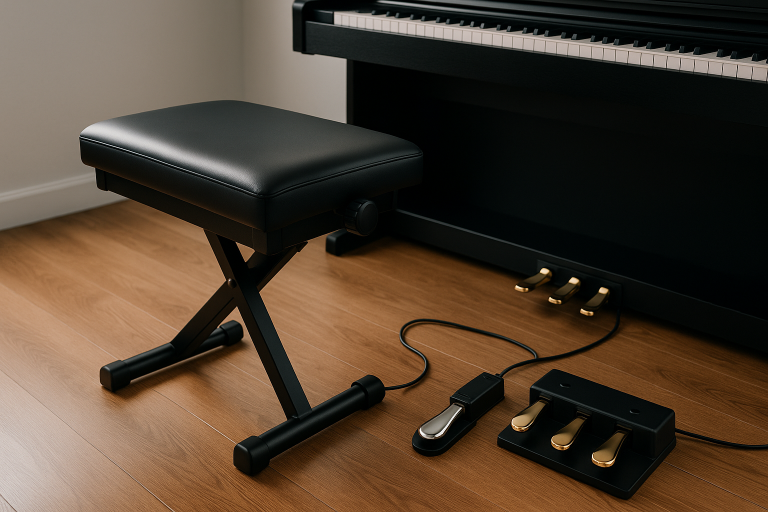
Some digital pianos and stage pianos support three pedal units, which include sustain plus the other traditional piano pedals in a single base.
What it is: Roland presents the RPU 3 as a three pedal unit with separate 1/4 inch outputs for each pedal, compatible with various Roland FP and RD series instruments.
Why it can be worth it:
If you are training on a digital piano but want a more realistic pedaling layout, a three pedal unit can improve muscle memory and support more advanced repertoire where soft pedal or sostenuto becomes relevant.
As an Amazon Associate I earn from qualifying purchases.
And what about the three pedal systems (soft, sostenuto, damper) including the “silent” idea
This is the part most keyboard players eventually discover the hard way: a single sustain pedal is only one third of the traditional piano pedal vocabulary.
The three pedals on an acoustic piano
Britannica describes the three pedals this way:
- Right pedal (damper or sustain): lifts the dampers so notes continue to sound
- Left pedal (soft, also called una corda): shifts the action so the hammers strike fewer strings, creating a softer tone color
- Middle pedal (sostenuto on many grands): sustains only the notes whose keys are held when the pedal is pressed, allowing selective sustain
That is the “grand piano standard.” But here is where confusion begins.
Why people say “silence pedal” or “practice pedal”
On many upright pianos, the middle pedal is not a true sostenuto pedal. It is often a practice mute pedal that lowers a strip of felt between the hammers and strings, reducing volume for quieter practice. Mark Goodwin Pianos describes this mechanism in the context of Yamaha uprights, explaining the practice felt is lowered so hammers do not directly contact strings.
So when someone says “silence pedal,” they usually mean one of these:
- A practice mute pedal on an upright (acoustic mechanism with felt)
- A silent piano system (electronic silent mode, different concept)
- On some digital pianos, a mapped function where the left pedal can reduce volume or change tone, and the middle pedal can be assigned
For digital keyboards, there is no universal “silent pedal” because digital volume is already controllable. Instead, what matters is whether your instrument supports:
- Soft pedal behavior (often a timbre or volume change)
- Sostenuto behavior (selective sustain)
- Damper pedal behavior with half pedaling
When a three pedal setup is worth it
A three pedal unit becomes genuinely useful if:
- You are learning classical repertoire where una corda markings appear
- You want to practice authentic pedaling technique for exams or lessons
- Your digital piano is furniture style or paired with a stand and you want an acoustic like control layout
- You are composing or arranging and want real time control over sustain layers
If you mostly play pop chords casually, you might not need it. But if you are building serious piano technique, three pedals are not a luxury, they are part of the instrument.
Category A: Dedicated three pedal units made for specific digital pianos
These usually connect through a dedicated multi pin port and often require a matching stand.
If you want the full grand piano pedal layout on digital: Yamaha LP 1
Some Yamaha digital pianos support a three pedal unit that recreates the classic grand piano layout in one base, which feels far closer to acoustic training than a single sustain pedal.
What it is: Yamaha presents the LP 1 as a three piano style pedal unit that provides sustain, sostenuto, and soft control, plus a half damper effect for more nuanced sustain on compatible instruments.
Why it can be worth it:
If you are practicing classical technique or any repertoire that uses una corda markings and selective sustain ideas, a three pedal unit helps build realistic foot coordination and muscle memory, and it can unlock more expressive control than a basic on off sustain pedal.
As an Amazon Associate I earn from qualifying purchases.
If you want a Yamaha three pedal unit that is officially supported across many models: Yamaha FC35
Some Yamaha portable digital pianos and Clavinova models support the FC35 pedal unit, designed to give you the full three pedal experience, while staying within Yamaha’s compatibility lists.
What it is: Yamaha presents the FC35 as a pedal unit compatible with specific Yamaha models, and it is explicitly positioned as a three pedal solution for those instruments. Yamaha also includes a clear usage note about using an optional stand with certain portable models to avoid cable strain.
Why it can be worth it:
If you want the most “plug and play” path on Yamaha, this is often safer than mixing third party solutions. You get the grand piano style layout under your feet, and you reduce the risk of buying a pedal board that physically does not fit your setup or connector.
As an Amazon Associate I earn from qualifying purchases.
If you own a Roland FP 30, FP 30X, or FP E50 and want the official three pedal layout: Roland KPD 70
Some Roland digital pianos support dedicated three pedal units that are designed to integrate with the matching stand for a more furniture style piano feel.
What it is: Roland presents the KPD 70 as a custom three pedal unit for the FP 30, FP 30X, and FP E50. Roland also states it requires the KSC 70 stand for FP 30 and FP 30X, or the KSFE50 stand for FP E50.
Why it can be worth it:
If you are training seriously, the physical stability and consistent pedal spacing of a dedicated three pedal board can feel much closer to an acoustic instrument than separate loose pedals. It also encourages proper technique habits when soft pedal and sostenuto start to matter in more advanced repertoire.
As an Amazon Associate I earn from qualifying purchases.
A crucial buying rule:
- If the manufacturer says “requires stand” or lists supported models, take it literally. These units are not universal. Roland explicitly states stand requirements for KPD 90 and KPD 70.
- Yamaha’s P 225 page, for example, explicitly lists compatible pedal units like LP 1 and FC35, and even mentions the importance of using a stand or stabilizer to avoid damaging the pedal unit and connector.
Category B: Universal three pedal units with separate outputs
These are designed for keyboards and stage pianos that have multiple pedal inputs or can assign external pedals.
The most relevant example from your product list:
- Roland RPU 3: Roland describes the RPU 3 as combining three pedals into one unit, with separate 1/4 inch outputs for each pedal, and lists compatibility examples like FP and RD series instruments.
As an Amazon Associate I earn from qualifying purchases.
This category is extremely practical if:
- You own a stage piano with multiple pedal jacks
- You want the physical three pedal layout without being locked to one stand system
- You want to assign pedals to different functions beyond classical pedaling (many stage instruments allow this)
Troubleshooting: when the sustain pedal works “backwards”
If your sustain is inverted, do not assume the pedal is broken.
Step 1: check polarity behavior
- If your pedal has a polarity switch, flip it and retest.
- If your keyboard auto senses polarity, plug in the pedal before power up and restart the instrument, avoiding any pedal press during boot.
Sweetwater documents this behavior for certain keyboards: the polarity can be read at power on, and boot conditions can influence the detected state.
Step 2: confirm your keyboard can change polarity
Some keyboards provide a setting in a global menu, others do not. Sweetwater notes cases where polarity mismatches on some Casio keyboards cannot be corrected through settings.
Step 3: confirm you did not buy a half damper pedal for a non half damper input
If your keyboard expects a simple on and off sustain pedal (TS) but you buy a continuous controller pedal (often TRS), you can get odd behavior. The safest approach is to match what your keyboard manual specifies, and use half damper pedals only when the keyboard supports continuous input.
Related useful recommendations for piano players
These are not sustain pedals, but they solve real problems in the same “hands stay on the keys” philosophy.
Bluetooth page turner pedals (for tablet sheet music)
If you read sheet music on an iPad or tablet, a page turner pedal can remove one of the biggest practice interruptions: turning pages mid performance.
- Donner Bluetooth page turner pedal: Donner highlights Bluetooth control, 10 meter plus range, and long battery life.
As an Amazon Associate I earn from qualifying purchases.
- PageFlip pedals (Firefly or Butterfly): PageFlip describes these as wireless pedals designed for hands free page turning, and the Firefly model also supports Bluetooth and wired USB operation.
As an Amazon Associate I earn from qualifying purchases.
Loop station pedals (for practice creativity)
A loop pedal is not a sustain pedal, but it can be a powerful practice tool for keyboard players: record a chord progression, loop it, and practice melody, voicings, or improvisation on top.
- BOSS RC 1: BOSS describes the RC 1 as an intuitive looper pedal that provides core loop functions like record, playback, overdub, and undo or redo.
As an Amazon Associate I earn from qualifying purchases.
Conclusion
A sustain pedal is not just an accessory. It is the bridge between mechanical key pressing and real musical phrasing. Once you understand polarity, plug type, and whether your keyboard supports half pedaling, the choice becomes straightforward.
If you want the safest general purchase, prioritize a piano style pedal with a polarity switch. If you want nuance and your keyboard supports it, go straight to a half damper capable pedal and learn to use partial sustain intentionally. Then spend your practice time on the skill that matters most: clearing the pedal with harmony changes so your sound stays rich, but never muddy.
Do all sustain pedals work with all digital keyboards?
No. Many use the same 1/4 inch connector, but polarity expectations and half pedaling support vary by instrument and pedal. Polarity mismatch can cause reversed behavior, and half pedaling requires both pedal and instrument support.
Why does my sustain pedal work backwards?
It is usually polarity interpretation. Some setups determine polarity at startup. A common fix is powering off, plugging in the pedal, and powering on again.
What is half pedaling and do I need it?
Half pedaling means the pedal can transmit partial positions for nuanced sustain control, but your instrument must support it. Roland states DP 10 supports full and half damper capable keyboards, and Korg states DS 1H supports half damper.
What are the three pedals and which one is the “silent pedal”?
On a grand piano, the pedals are soft, sostenuto, and damper. Britannica describes these functions.
On many upright pianos, the middle pedal is often a practice mute pedal that lowers felt to reduce volume, which is why people call it a “silent” or practice pedal.
Can I use a three pedal unit on any keyboard?
Only if your keyboard supports it. Some three pedal units are dedicated and require specific stands or connectors, while universal units like the Roland RPU 3 use separate outputs and require multiple pedal inputs on the keyboard.